Professional tool for broadcaster and podcasters
A few years ago, if you wanted to broadcast your own radio show you would have needed all manner of antennas and radio equipment, along with a licence (or the guts to transmit without one). Nowadays anyone can become a radio star thanks to the rise of podcasting technology. With the major media players now joining cutting-edge tech sites in the podcasting revolution, there’s plenty of competition around, so producing a broadcast that sounds slick and professional is essential.
As its name suggests, ePodCast Creator has been specifically designed for users who want to make their own online audiocasts. The application allows you to create, edit and manage podcasts on the fly, with a set of tools that let you record and mix audio from a variety of sources.
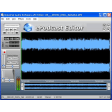
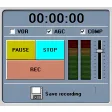
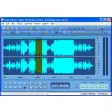
We like the way the program embraces the spirit of podcasting by keeping things pretty straightforward. Unlike many audio-editing applications, the interface is clean of clutter and consists of clearly -labelled playback and record panels, along with two timelines displaying the waveforms for the cast’s voice and music. Thanks to the ‘Music Segments’ menu, you get instant access to the music clips you’ve imported, which can either be dragged and dropped onto the timeline, or accessed via hotkeys.
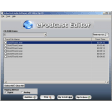
Mixing audio tracks often proves tricky for novice users, but ePodCast Creator keeps things as simple as possible, with just one slider allowing you to blend music with voice recordings, or even two music tracks. Unfortunately this doesn’t give you quite the same precision and control as some of the more advanced sound editing apps, but should suffice for the average podcast. For the more adventurous podcaster, the bundled ePodCast Editor provides a series of tools for chopping up tracks, adding effects and adjusting EQ levels. Again, these features aren’t as powerful as those you’ll find in the likes of Acid or Reason, but we found them a lot easier to master.
EPodCast Creator makes for a great one-stop-shop for your podcasting needs, and the developer has pulled off something of a masterstroke by allowing you to record, edit, create RSS feeds and eventually upload your creation to the web. The package is perfect for those starting out their career as an Internet DJ, though it’s possible that you’ll outgrow the program as you become more ambitious in your productions.





















User reviews about ePodcast Creator
by Anonymous
aaaa.
Deejay hustle From kosovo here with Roza FEET in the mixinga